Adding a repository
The Repositories page, every field of a repository, and declaring one in the config seed
The Repositories page
Repositories are managed under Settings > Connections > Repositories, which needs the showSettings role option.
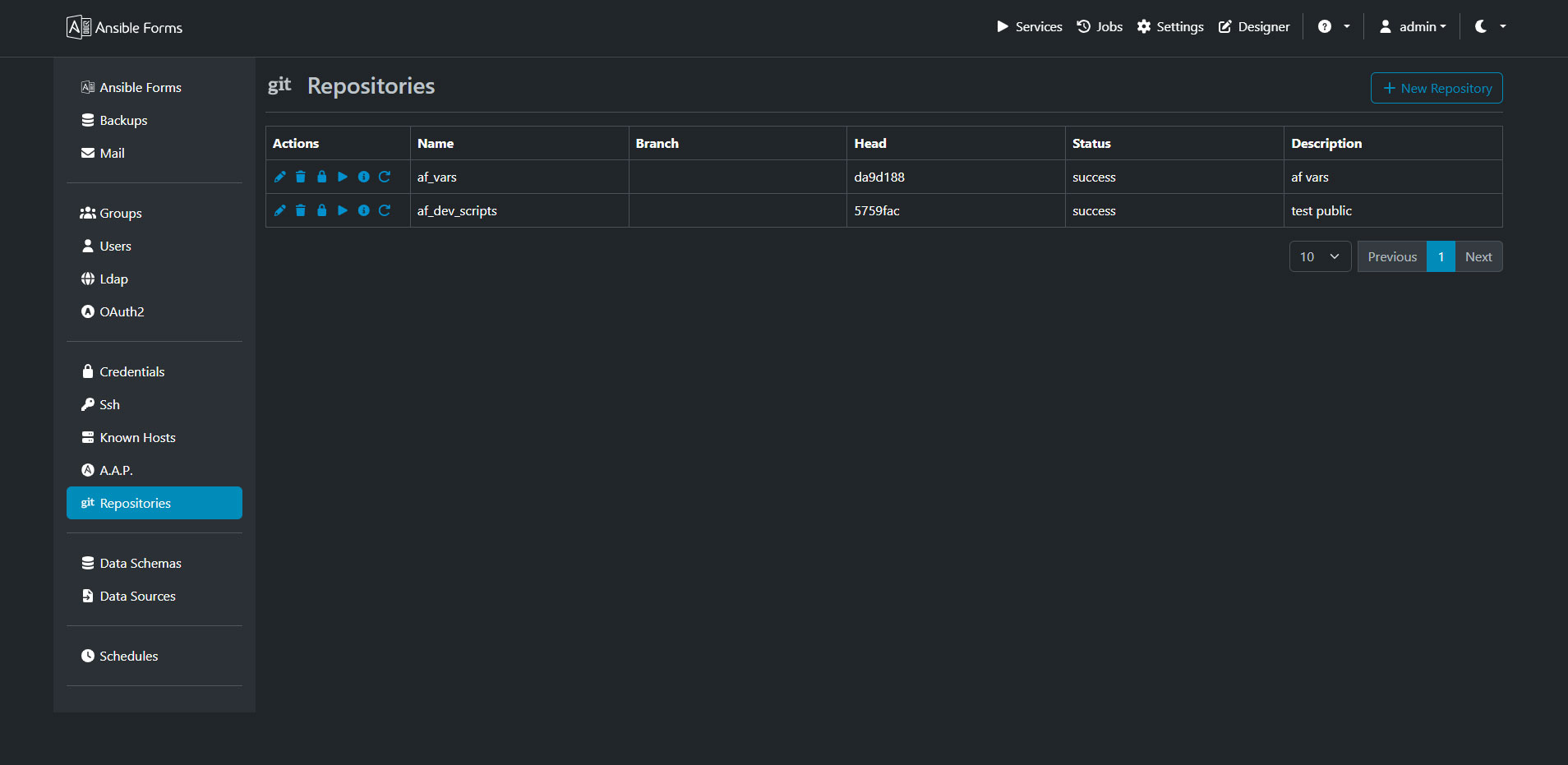
The list shows the Name, Branch, Head (the short commit hash checked out), Status and Description. The status is running while git works, then success or failed. The menu of each row holds these actions:
| Action | What it does |
|---|---|
| Edit Repository | Change the fields below; the password has its own action |
| Delete Repository | Remove the record and its working tree under REPO_PATH |
| Change Password | Set a new password or token |
| Trigger | Clone the repository, or pull it when the working tree already exists |
| Show output | Show git’s output of the last clone, pull or push, with the password masked |
| Reset Repository | Delete the working tree and clone it again, which discards local changes |
| Push to repo | Commit and push the working tree; only on repositories used for forms or config |
Only one git operation runs on a repository at a time. A second one is refused with Repository '<name>' not found or already running, try again later.
Adding a repository
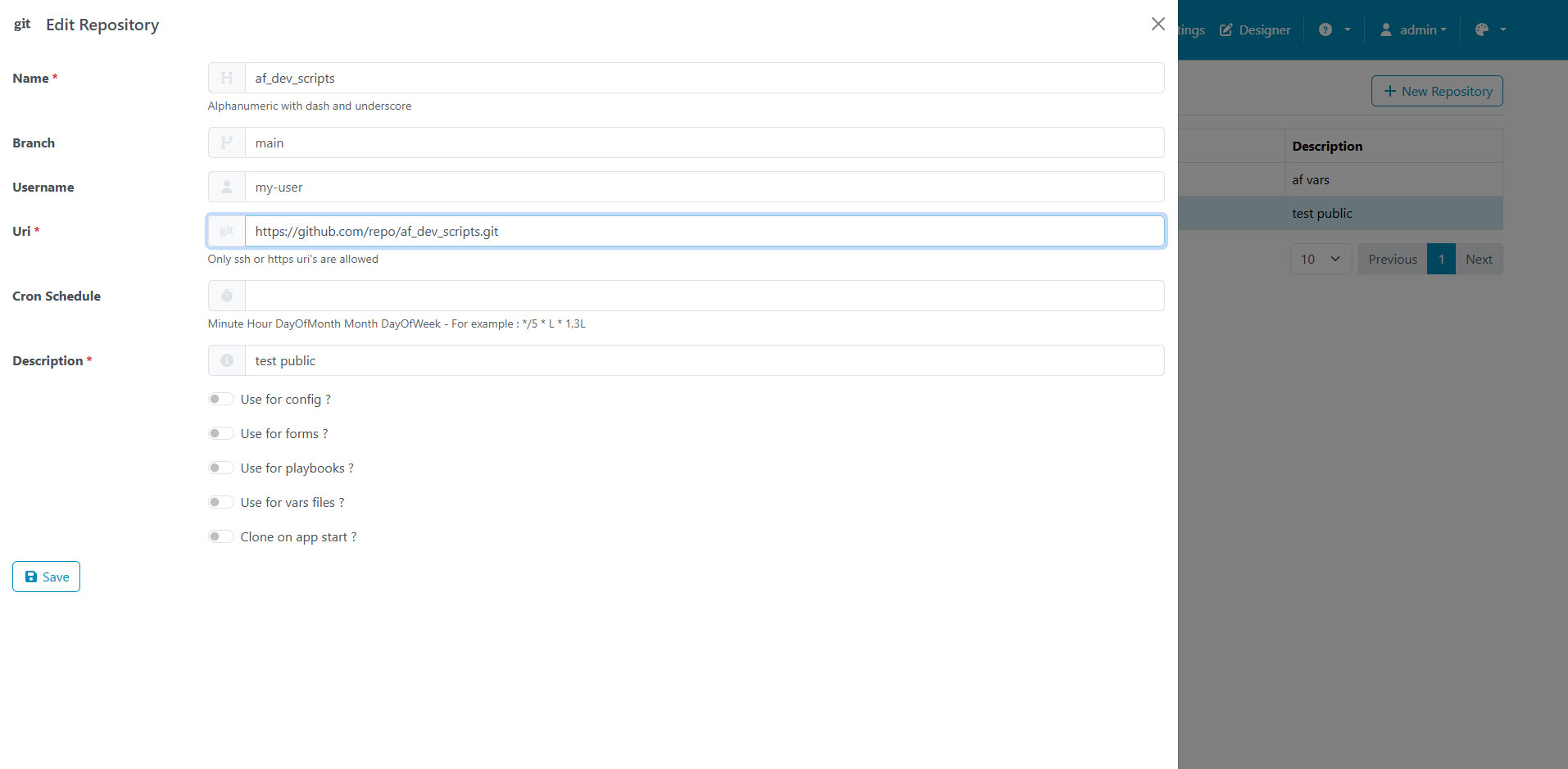
Click New Repository and fill in the fields; AnsibleForms starts the clone in the background as soon as you save.
| Field | Required | Meaning |
|---|---|---|
| Name | yes | The folder name under REPO_PATH; letters, digits, dash, underscore and dot |
| Branch | no | The branch to clone, for example main; empty clones the remote’s default branch |
| Username | no | The user for an HTTPS remote that needs authentication |
| Password | no | The password or token for that user; only asked when creating, or with Change Password |
| Uri | yes | The remote, https://... or SSH (git@git.example.com:team/forms.git, ssh://...) |
| Cron Schedule | no | When to pull, as a cron expression; empty means no scheduled pull |
| Description | yes | A free text description |
| Use for config ? … Use for vars files ? | no | What the repository holds, see above |
| Clone on app start ? | no | Clone the repository, or pull it, every time AnsibleForms starts |
Renaming a repository moves its working tree to the new folder and moves its pull schedule with it. The password is stored encrypted, and the API returns it masked.
Declaring repositories in the config seed
Repositories can also be declared in the config seed, so a new instance clones them at its first start.
repositories:
  items:
    - name: forms
      description: Forms and configuration
      uri: https://git.example.com/team/forms.git
      branch: main
      user: af-bot
      password: ${SEED_GIT_TOKEN}
      use_for_forms: true
      use_for_config: true
      rebase_on_start: true
      cron: "*/15 * * * *"
The fields are those of the page: user, password, rebase_on_start (Clone on app start ?) and cron included. A seeded repository is read-only in the interface, and is cloned again at start when its working tree is missing; see Managed objects.