Adding a repository
The Repositories page, every field of a repository, and declaring one in the config seed
- The Repositories page
- Adding a repository
- Who may change a repository
- Declaring repositories in the config seed
The Repositories page
Repositories are managed under Settings > Connections > Repositories, which needs the showSettings or, from 7.3.0, the showConnectionsSettings role option. Some changes are an admin’s only, see below.
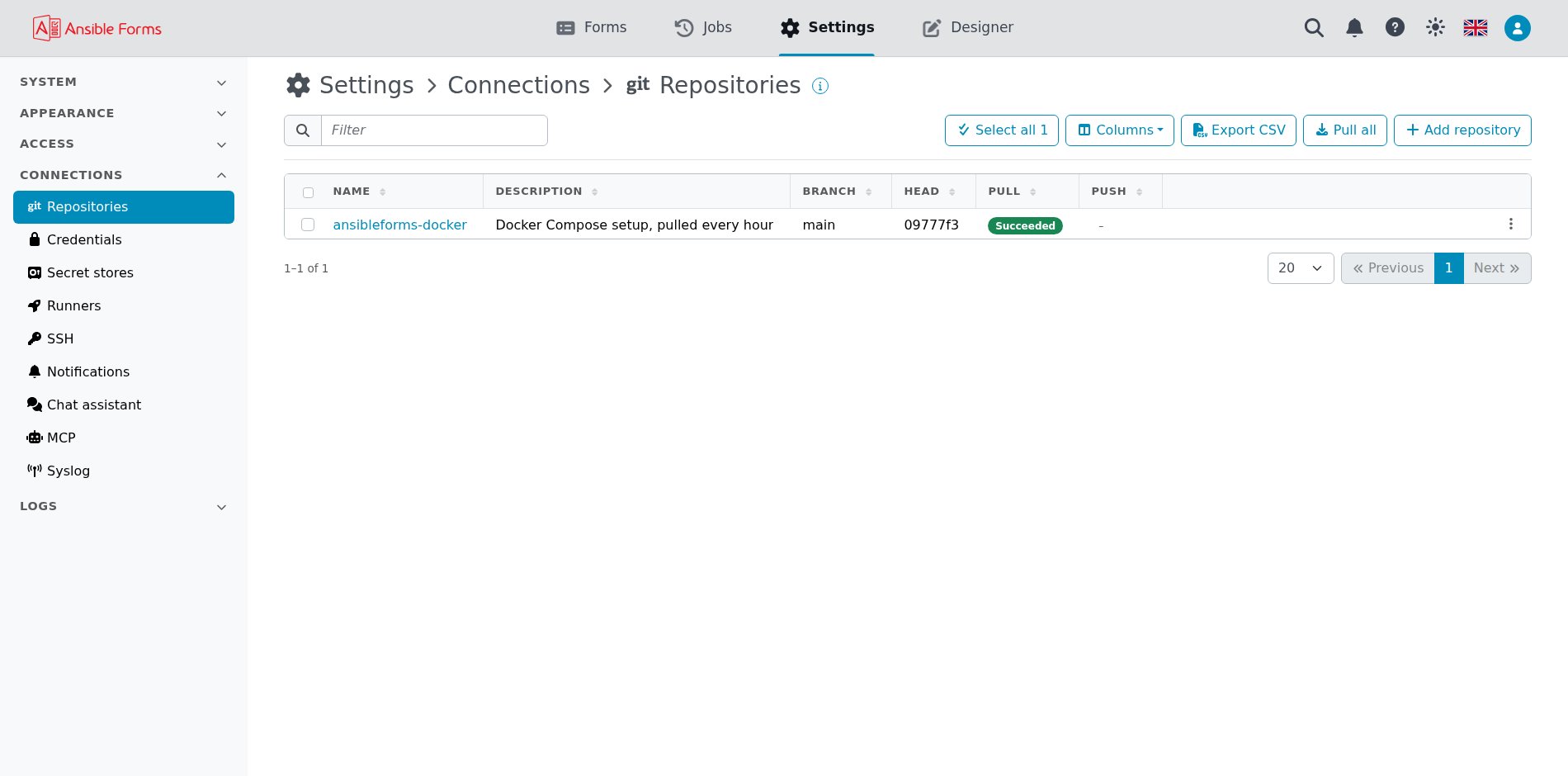
The list shows the Name, Description, Branch, Head (the short commit hash checked out), Pull and Push. A repository’s Details tab shows the same Pull and Push badges above its head:
| Column | What it says |
|---|---|
| Pull | The last clone, pull or reset: Running while git works, then Succeeded or Failed; a dash before the first one |
| Push | Failed when the last push failed; Pending changes when changes saved here, by the designer, are not pushed to the remote yet; Succeeded when nothing waits; a dash before the first push |
Succeeded in the Push column means only that nothing waits to be pushed: the remote may still hold newer commits that a pull brings in. The menu of each row holds these actions:
| Action | What it does |
|---|---|
| Edit | Change the fields below |
| Pull | Clone the repository, or pull it when the working tree already exists |
| Push | Commit and push the working tree; only on repositories used for forms, config, playbooks, workflows or inventories, and enabled only while there are changes not pushed yet |
| Reset | Delete the working tree and clone it again, which discards local changes |
| Change credentials | Open the repository’s Credentials tab, to pick the credential git uses |
| Show last pull output | Show git’s output of the last clone, pull or reset, with the password masked |
| Show last push output | Show git’s output of the last push, with the password masked |
| Delete | Remove the record and its working tree under REPO_PATH; an admin’s only |
Pull all, above the list, pulls every repository at once.
Only one git operation runs on a repository at a time. A second one is refused with Repository '<name>' not found or already running, try again later.
Adding a repository
Click Add repository: a wizard asks for the fields in four steps (Repository, Credentials, Usage, Pull schedule), and AnsibleForms starts the clone in the background as soon as you save.
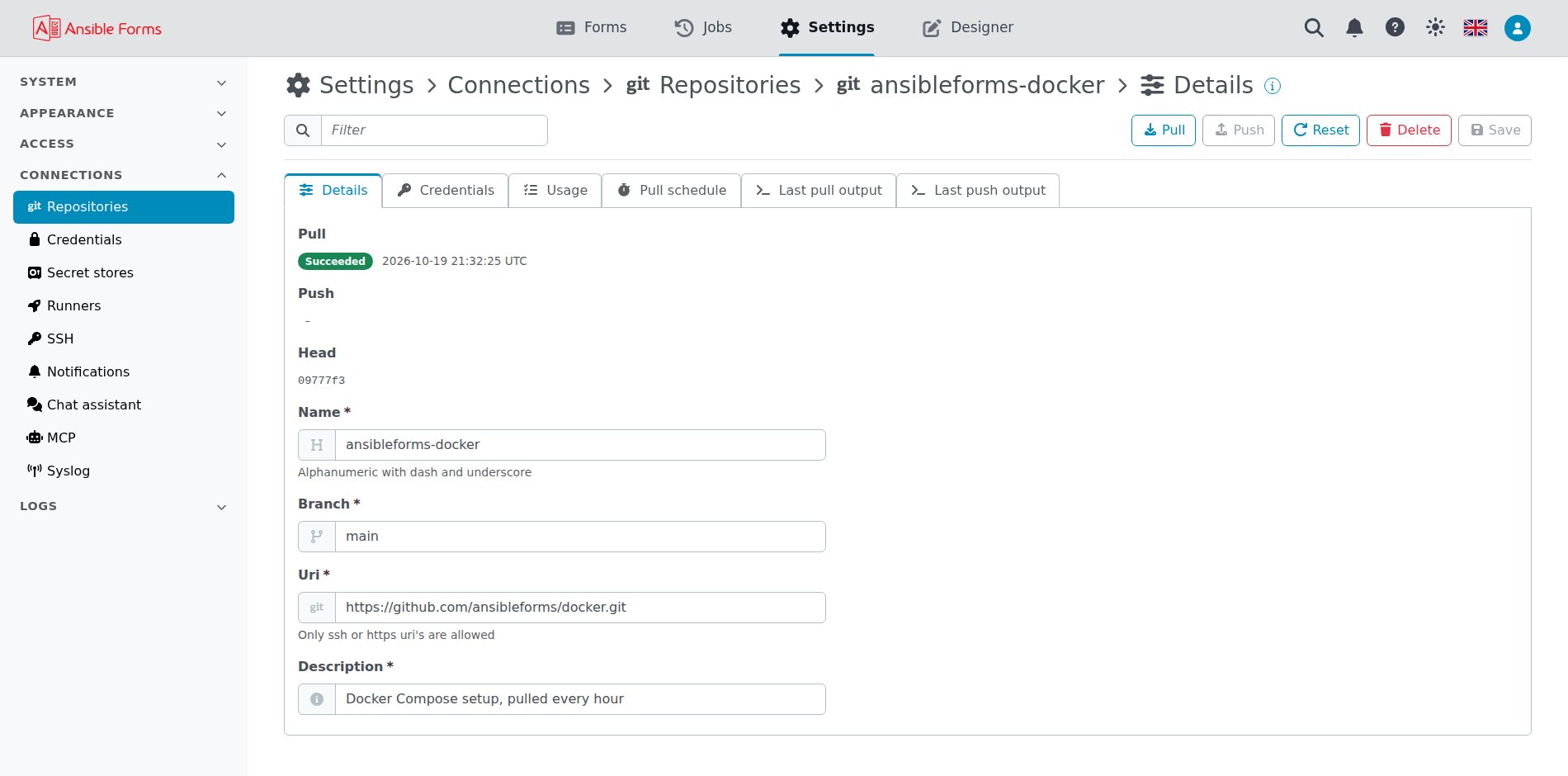
| Field | Required | Meaning |
|---|---|---|
| Name | yes | The folder name under REPO_PATH; letters, digits, dash, underscore and dot |
| Branch | yes | The branch to clone, pull and push, for example main; required from 7.3.0. Only a repository of the config seed may leave it out, to clone the remote’s default branch |
| Credential | no | A credential of Connections > Credentials with the user and the password or token git uses; Add credential creates one |
| Uri | yes | The remote, https://... or SSH (git@git.example.com:team/forms.git, ssh://...) |
| Enable scheduled pull | no | Pull the repository on a schedule |
| Pull schedule | no | When to pull, as a cron expression; shown once the scheduled pull is enabled |
| Description | yes | A free text description |
| Use for config ? … Use for inventories ? | no | What the repository holds, see above |
| Pull on app start | no | Clone the repository, or pull it, every time AnsibleForms starts |
Renaming a repository moves its working tree to the new folder and moves its pull schedule with it. A repository from before 7 that still has its own user says so on its Credentials tab: pick a credential to replace it.
Who may change a repository
A repository’s content becomes what AnsibleForms loads and runs, so from 7.3.0 a user without the admin role can no longer:
- add or delete a repository;
- change its Uri or its Branch;
- switch any of its Use for flags on or off.
They can still change its description, pull schedule and credential, and pull, push or reset it. A credential that a runner, a connection or a sign-in uses cannot be picked by them; the refusal names it, and says nothing of what it holds.
Declaring repositories in the config seed
Repositories can also be declared in the config seed, so a new instance clones them at its first start.
repositories:
  items:
    - name: forms
      description: Forms and configuration
      uri: https://git.example.com/team/forms.git
      branch: main
      credential: git-bot
      use_for_forms: true
      use_for_config: true
      rebase_on_start: true
      cron: "*/15 * * * *"
The fields are those of the page: credential (a credential of the seed or of the app), rebase_on_start (Pull on app start) and cron (the pull schedule) included; user and password are still accepted in place of a credential. A seeded repository is read-only in the interface, and is cloned again at start when its working tree is missing; see Managed objects.